
Changelog v6
Version 6.0.25
Section titled “Version 6.0.25”🔧Fix: Improvements in WMI collection. Resolved intermittent read timeouts.
🔧Fix: SNMPv3 authentication failures. Fixed failures in SNMPv3 authentications (authPriv and authNoPriv) caused by an issue in the initial time synchronization handshake and encryption calculation when requested.
🔧Fix: Metric in critical state. Fixed an issue where metrics with a maximum limit defined via dynamic reading from the device were incorrectly entering a critical state under certain conditions.
🔧Fix: WMI collection failures. Fixed read failures and occasional inconsistencies in data collected by the Monsta probe.
🔧Fix: Failure adding a panel. Resolved a kernel error that prevented adding/removing a panel for an old user in the management interface.
🔧Fix: Blank panel listing. Fixed the issue that caused the panel list to appear blank immediately after adding a new record in user editing.
🔧Fix: Probe collection failures. Certain Windows probe monitors freeze randomly and stop collecting data.
🔧Fix: Alerts not sent. Some alerts were not triggered even when the value was above the limit. This occurred when the monitored value rarely changed: after system restart, it was not available in memory and the alert could not confirm the threshold, remaining inactive.
Version 6.0.17
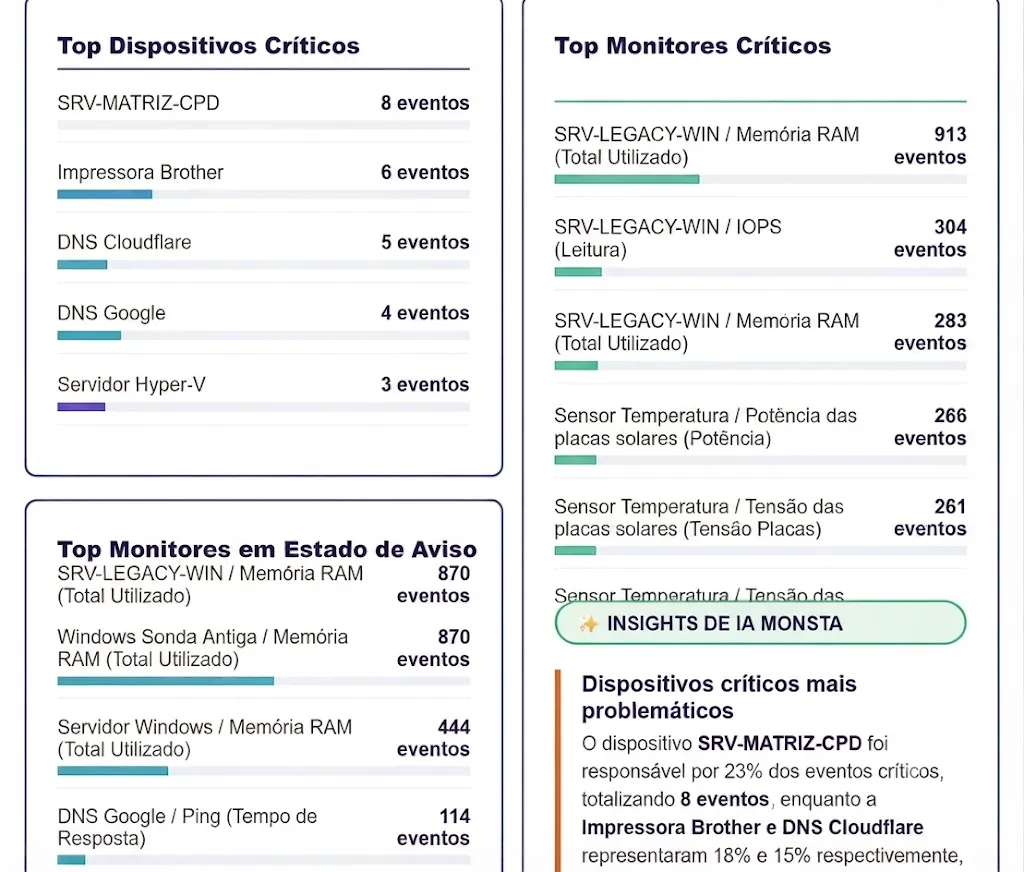
Section titled “Version 6.0.17”✨New: Monthly Reports with Artificial Intelligence. Now your account automatically generates monthly reports enriched with insights based on AI.
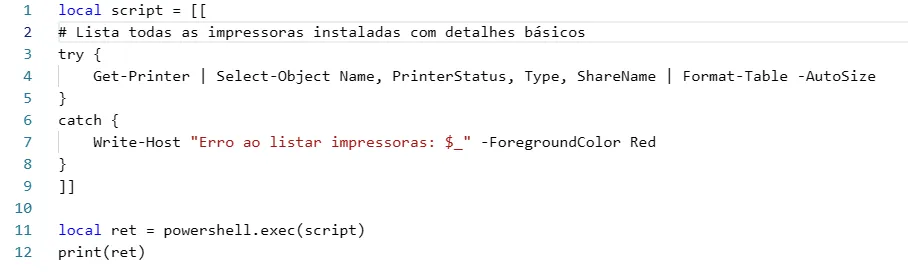
✨New: Remote Execution via PowerShell. The Probe allows the execution of commands and scripts in PowerShell directly from the console. For security reasons, this feature is made available only when the user authorizes its use during the Probe installation. In addition, all commands are executed using a user with restricted privileges (non-administrator).
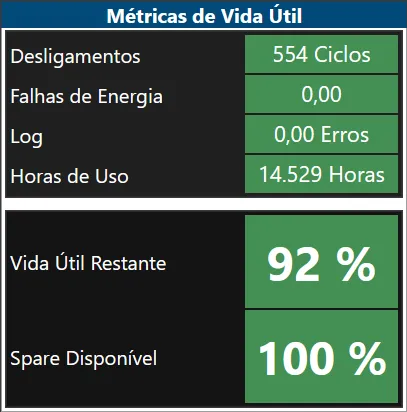
✨New: S.M.A.R.T. Monitoring. We added support for collecting S.M.A.R.T. (Self-Monitoring, Analysis, and Reporting Technology) data from physical drives, allowing you to track integrity, lifespan and storage health indicators to identify possible failures before they affect the environment.
🔧Fix: Preservation of White Label during updates. Fixed an unexpected behavior where system updates reverted to the default logo.
🔧Fix: Update in event status. Now, when a device or monitor toggles state between warning and critical, only the most recent event remains marked as unresolved in the timeline, avoiding accumulation of pending items for the same incident.
🔧Fix: Agents Reconnection After Backup. Fixed agents reconnection after restoring a cloud backup on new installations.
🔧Fix: Adjustment in Alarm Triggering for Monitors. Fixed an intermittent issue that prevented alarms from triggering on some monitors.
Version 6.0.9
Section titled “Version 6.0.9”🔧Fix: Buttons added to remove disconnected and blocked agents on the management screen.
🔧Fix: Information about the key and license appears blank in some cases.
🔧Fix: Monsta prompts the client area login screen to validate the key in some situations.
Version 6.0.6
Section titled “Version 6.0.6”✨New: Agents - Monitoring remote networks without the need for VPNs or port forwarding Agent: Zero Conf Installation.
✨New: Map for hierarchical view with the ability to set positions, add widgets and metrics.
✨New: Dashboards can be made available to non-administrator users.
✨New: Consumption report can calculate area for any unit of measure.
🔧Fix: Devices without uptime did not send alerts.
🔧Fix: Variables that report the previous state in alert templates were not enabled.
🔧Fix: Default value provided in monitor parameters returned null.
🔧Fix: General failure message when adding automatic monitors with some templates.
🔧Fix: Boolean monitor alarms with false status when limits are inverted.
🔧Fix: Namespace is not sent in WMI collections.